How do you deploy RoR? Newb alert!

On Thu, Jul 1, 2010 at 3:54 PM, Ali I. [email protected]
wrote:

I looked for the way to use any thing else other than GIT, because it
is not free

Huh? Where did you get that idea?

From the git site:

Git is a free & open source, distributed version control system
designed to handle everything from small to very large projects
with speed and efficiency.


Hassan S. ------------------------ [email protected]
twitter: @hassan

I’m just worried I’m going to waste money on an outdated book :slight_smile:

Thanks again for your time.
Jeremy

The book is overbloat. The author suggests to run your rails setup in a
Xen virtual machine! Well he sells rails hosting…

Capistrano is not necessary when you know how to use a good scm such as
mercurial. A simple bash script + mercurial does everything capistrano
can do, and it won’t crash on you.

Basically you need:

  • Server
  • Domain name
  • Install Ruby. I would recommend to stick to 1.8.7, as I’m having
    painful issues with 1.9.1 and other people too.
  • Install Passenger, and Nginx
  • Install a database backend
  • Get your code on the server. That’s where I use my bash+mercurial
    script.

And you should be good to go. Depending on your skills this can take
more or less time. Once you know how to do it once, it’s easy.

no i am talking about github … remote repository, because lot of
tutorials i go through are pointing towards this…

On Jul 1, 5:32 pm, Hassan S. [email protected]

Fernando P. wrote:

I’m just worried I’m going to waste money on an outdated book :slight_smile:

Thanks again for your time.
Jeremy

The book is overbloat. The author suggests to run your rails setup in a
Xen virtual machine! Well he sells rails hosting…

Capistrano is not necessary when you know how to use a good scm such as
mercurial. A simple bash script + mercurial does everything capistrano
can do, and it won’t crash on you.

Cap is what most people use, and I’ve never had it crash. I don’t think
it’s appropriate for the SCM to handle all the deployment – I think a
tool like Capistrano is a necessity.

Basically you need:

  • Server
  • Domain name
  • Install Ruby. I would recommend to stick to 1.8.7, as I’m having
    painful issues with 1.9.1 and other people too.
  • Install Passenger, and Nginx
  • Install a database backend
  • Get your code on the server. That’s where I use my bash+mercurial
    script.

And you should be good to go. Depending on your skills this can take
more or less time. Once you know how to do it once, it’s easy.

@Fernando
Capistrano is exactly that very “bash script” by purpose, you are
talking about :smiley: … it’s just written in Ruby

Writing another bash script won’t re-invent the wheel at all… when
there was no Capistrano in Rails world, I personally used to write
that very bash scripting…
for doing everything, deploy, taking backups and all… but honestly
it’s much more fun with Cap.

It’s strongly recommended to spare some time and devote it to learn
out how Capistrano works, it will make your life a lot easier :slight_smile:
It’s just a matter of burning out one day and get the familiarity.

As far as SCM is considered… it’s all personal choice and
preference to use Subversion(SVN) or Git or Mercurial(Hg)
Selecting an SCM has no concern with deployment through Capistrano and/
or whether to use Passenger or not.

Capistrano supports a lot of SCM tools, viz. SVN, Git, Hg, CVS and
many more…

regards,
Sur
http://crimson9.com

Sur M. wrote:

@Fernando
Capistrano is exactly that very “bash script” by purpose, you are
talking about :smiley: … it’s just written in Ruby

Writing another bash script won’t re-invent the wheel at all… when
there was no Capistrano in Rails world, I personally used to write
that very bash scripting…

My update script:

hg push ssh://… && ssh -t user@ip ‘cd /myapp_path && hg update &&
RAILS_ENV=production rake db:migrate && touch tmp/restart.txt’

Do I need hundreds (thousands) of lines of ruby code to do that?
Certainly not. But yeah, it’s cap, it was started by jb, it’s ruby, it
supports svn and cvs… it’s gotta be cool!

I did use capistrano, and it would eventually stop updating the code due
to some obscure problem. My dumb bash script never disappointed me.

So how does your script handle rollbacks?

How about a staging environment?

Can it stop and start the crons associated with the site?

All these problems have been solved (with the exception of comprehensive
documentation perhaps) and are just a download away. Have you checked to
see
if the bug has been fixed since you last used it?

ok,

I did use capistrano, and it would eventually stop updating the code due
to some obscure problem. My dumb bash script never disappointed me.

I see the reason for you not in favor of using Capistrano. You sounds
frustrated to have not been able to resolve the issue you had have
with your earlier Cap implementation.
I am not saying anything against you why to go or why not to go for
Capistrano.
And I really don’t know if you have anything personal against
JamisBuck(creator of Capistrano) and/or Ruby programming
language :slight_smile: … to count them a reason to not to use it apart from
considering the following advantages as compared to the script you
provided…

Your Script:
Can deploy: Yes
Keeps releases: No
Can Rollback: No
Does it know what Rollback is: No
Can just restart the server without updating code: No
Can perform additional server task(s) after/before code updation: No
Is it organized: No

Capistrano:
Can deploy: Yes
Keeps releases: Yes
Can Rollback: Yes
Does it know what Rollback is: Very well, if your latest deploy fails
and crashes the server (not a big deal, happens to lots of ninjas),
you can just fire one command “cap rollback” to bring the live server
quickly to previously functional state.
Can just restart the server without updating code: Yes
Can perform additional server task(s) after/before code updation: Yes
Is it organized: Yes, the ruby code is placed centrally on your system
as a Ruby gem, and for every application you just need to mention the
repository address, server address etc. in a configuration file.

Guys, I would just like to say, it’s really better to spend some time
to get comfy with Capistrano and/or any other automated deployment
tool instead of pumping yourself to get the different scripts ready
for all server managerial work.

Needless to mention there are some other really good options available
which can be used in place of Capistrano.
e.g.

  1. Vlad Ruby Hit Squad - Programacion, marketing y mucho ruby on rails
  2. Moonshine (and Shadow Puppet)
    http://blog.railsmachine.com/articles/2009/01/16/moonshine-configuration-management-and-deployment/

Moonshine and Shadow Puppet takes the server management and deployment
to a totally different level which has not even been defined by the
Capistrano… so if you really need an advanced system administration
for Rails application’s server, go for Moonshine … but undoubtedly
it needs a certain level skills to use it up to the mark and might be
a bit difficult for the newbs.

But if you are comfortable with Capistrano and/or Vlad you can easily
look in near future to get ready for trying something awesome like
Moonshine.

So, for the beginners, I would say Capistrano could be very good
option to start with the deployments and build you understanding how
the automated deployment tools can be so very helpful in doing quick
server management(and deployment) jobs.

regards,
Sur
http://crimson9.com

Since I just went through my first deploy including using proxied ssl,
this
is what I would recommend -

– First get your app up and working on the deployment server however
you
can. Copy the files over however you can, install ruby, rails, db and
all
your incidentals. Get this working first.

– Then once you have everything working perfectly (which is no small
achievement the first time), then start finding better ways do do things

like how to streamline. This is where I am right now. I strongly believe
that if you do not isolate your goals and try to do everything at once
there
is high risk of failure. I am not using cap but will soon I think.

– I think github is a good start to the above process since you can
easily
clone your app. So on dev machine you push and then on your production
env
you clone it.

FYI, I managed to get my app on Github… However, the biggest issue
that i have regarding putting it on Github is that people will be able
to see my database settings with my password etc… So I deleted the
repository. My guess is that means I’ll have to pay to keep it
private? How does one keep people from seeing that info?

Wow, this is becoming a much better conversation that I ever
imagined! :slight_smile:

For your purpose, subversion and git are the same thing!

I use git. I already have an apache web server with the passenger mod
in place, so deploying my rails app is as simple as:

/path/to/app> $ git pull

On Fri, Jul 2, 2010 at 9:53 AM, Jeremy [email protected]
wrote:

FYI, I managed to get my app on Github… However, the biggest issue
that i have regarding putting it on Github is that people will be able
to see my database settings with my password etc… So I deleted the
repository. My guess is that means I’ll have to pay to keep it
private? How does one keep people from seeing that info?

Just don’t check in your database.yml :slight_smile:


Hassan S. ------------------------ [email protected]
twitter: @hassan

Jeremy,

You can have passwords, database.yml etc in .gitignore so those files
aren’t visble/posted on your repo

Just don’t check in your database.yml :slight_smile:

You can have passwords, database.yml etc in .gitignore so those files
aren’t visble/posted on your repo

Oh okay, gotcha, that seems easy enough :slight_smile:

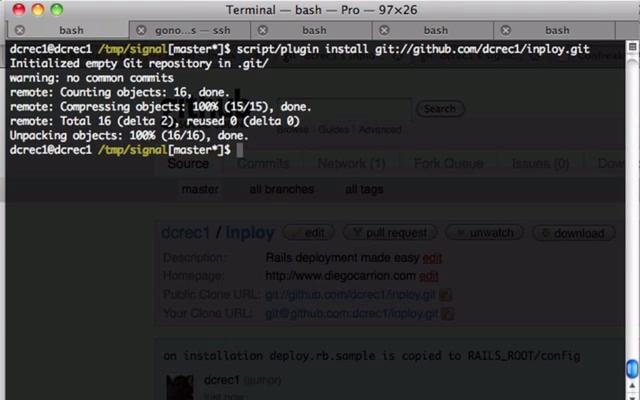
Hi, take a look at Inploy:

Here is an screencast:

cheers

On Fri, Jul 2, 2010 at 2:01 PM, Jeremy [email protected]
wrote:

“Ruby on Rails: Talk” group.
To post to this group, send email to [email protected].
To unsubscribe from this group, send email to
[email protected][email protected]
.
For more options, visit this group at
http://groups.google.com/group/rubyonrails-talk?hl=en.


Diego Carrion
http://www.diegocarrion.com
http://www.mouseoverstudio.com/blog/
http://www.twitter.com/dcrec1
http://www.workingwithrails.com/person/13580-diego-carrion

.gitignore seems to be really cool.
but where is this? what is the path for this file .gitignore?

should this be created manually or is it present as part of git install?

I have git installed and couldn’t find this file in
/home/myuser/myrailsapp/.git

-thanks

Jeremy wrote:

Just don’t check in your database.yml :slight_smile:

You can have passwords, database.yml etc in .gitignore so those files
aren’t visble/posted on your repo

Oh okay, gotcha, that seems easy enough :slight_smile:

The .gitignore file should be created in the root directory of your
rails
project. It tells git which files to ignore when looking at files to
commit,
for whatever reason. So create a .gitignore file (like you would any
other
file) and copy/paste this snippet in there.

Sample .gitignore file
.bundle
db/.sqlite3
log/
.log
tmp/**/*
tmp/*
doc/api
doc/app
*.swp
*~
.DS_Store

It may look like a bunch of warlock magic, but it’s not that
complicated.
You’re essentially telling git to ignore:

.bundle files & .DS_Store - These files are used by MacOS to do MacOs
stuff.

db/*.sqlite3 - All files inside the db folder that end with sqlite3
(test
and dev stuff)

And so on.

Excellent Ulises.

Thanks for this listing.
I think this will be helpful to everyone.

Ulises Ramirez-Roche wrote:

The .gitignore file should be created in the root directory of your
rails
project. It tells git which files to ignore when looking at files to
commit,
for whatever reason. So create a .gitignore file (like you would any
other
file) and copy/paste this snippet in there.

Sample .gitignore file
.bundle
db/.sqlite3
log/
.log
tmp/**/*
tmp/*
doc/api
doc/app
*.swp
*~
.DS_Store

It may look like a bunch of warlock magic, but it’s not that
complicated.
You’re essentially telling git to ignore:

.bundle files & .DS_Store - These files are used by MacOS to do MacOs
stuff.

db/*.sqlite3 - All files inside the db folder that end with sqlite3
(test
and dev stuff)

And so on.

Hey all, I found a great open source book “The Ruby on Rails Tutorial
Book” here: Chapter 1: From zero to deploy | Ruby on Rails Tutorial | Learn Enough to Be Dangerous
It’s free, and it’s “Up-to-date (now Rails 2.3.8, Rails 3 ASAP)”

It talks about Heroku deployment which is something that was discussed
earlier in this discussion. :slight_smile:

Just thought I’d post it for those of you looking for a good Tutorial
for beginners from start to finish.