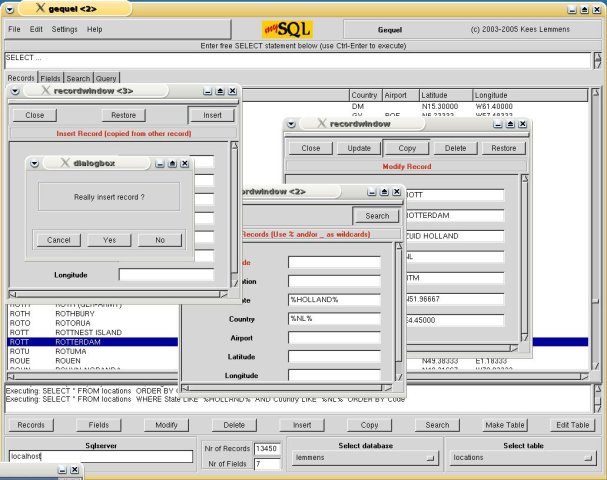
I’m using Ubuntu distro. for rails development. Today, to my disappoint,
I’ve found that there’re certainly almost no mysql frontend which runs
very well.
(1) mysql-query-browser: Seems to be very nice. But, it quickly exits
when I press ctrl+enter or modify a table structure. Something strange
is happening here, but I can not figure out what it is.
(2) phpmyadmin: Too slow. It even does not provide AJAX facility which
is painful.
(3) DBEdit: Eclipse plugin. No table modification feature.
What I need is a mysql front end that supports table modification
and table field ordering feature. Both of them were shown in the demo
using some OSX apps built on Cocoa, but I failed to find something
parallel in linux.
Could anybod recommend me a better frontend? It would be
appreciated.
I’m using Ubuntu distro. for rails development. Today, to my disappoint,
I’ve found that there’re certainly almost no mysql frontend which runs
very well.
2 pma: v slow and requires php and often you lose your place on actions
and have to drill back down…
3 MySQL Navigator download | SourceForge.net , i found it very
finicky and clicky and its few features are hidden via epanda-tree
things or right click and a plethora of tiny windows, by “features” i
mean a text box with some skeleton SQL pre-populated, if youre lucky.
plus it requires QT
4 MysqlFront and Navicat both failed to work correctly in WINE,
navicat-linux was not linked to my 64bit mysql libs, and non-free
anyways…
7 http://www.tksql.org/ after you install a half-dozen
too-obscure-to-be-in-apt Tk extensions you can be in awe of its awesome
early-90s looking interface
I’m using Ubuntu distro. for rails development. Today, to my disappoint,
I’ve found that there’re certainly almost no mysql frontend which runs
very well.
(1) mysql-query-browser: Seems to be very nice. But, it quickly exits
when I press ctrl+enter or modify a table structure. Something strange
is happening here, but I can not figure out what it is.
That bug is known in mysql-query-browser, use mysql-admin until they get
some stable packages back into the repository.
Also, learn to use migrations … much faster that using a GUI tool.
(in GUI tool, you still have to type table/column names, etc.)
I’m using mysql-query-browser on Dapper and it works okay. But if you’re
having problems with it, trying mysql-admin, which also provides table
editing in a decent interface. I also use mysql-navigator and find it to
be
suitable.
Use any crappy tool to create an empty schema and manage DB
privileges
Use migrations to create and modify all your tables.
Flip over to an Eclipse data perspective when you want to test a
query or get a quick look at table contents
Scratch your head and wonder how you put up with managing schemas
without graceful incremental revision and rollback
Minkoo S. wrote:
Hi list.
I’m using Ubuntu distro. for rails development. Today, to my disappoint,
I’ve found that there’re certainly almost no mysql frontend which runs
very well.
(1) mysql-query-browser: Seems to be very nice. But, it quickly exits
when I press ctrl+enter or modify a table structure. Something strange
is happening here, but I can not figure out what it is.
(2) phpmyadmin: Too slow. It even does not provide AJAX facility which
is painful.
(3) DBEdit: Eclipse plugin. No table modification feature.
What I need is a mysql front end that supports table modification
and table field ordering feature. Both of them were shown in the demo
using some OSX apps built on Cocoa, but I failed to find something
parallel in linux.
Could anybod recommend me a better frontend? It would be
appreciated.
I’m using mysql-query-browser on Dapper and it works okay. But if you’re
having problems with it, trying mysql-admin, which also provides table
editing in a decent interface. I also use mysql-navigator and find it to
be
suitable.
I’ve always been a fan of phpmyadmin. Since you are using Ubuntu you can
install it right through apt, or if you have apache already installed
and
running php you can download it your (http://www.phpmyadmin.net). I’ve
always used this on windows/*nix/os x and it works great.
-Nick
p.s. Not affiliated with phpmyadmin in any way shape or form, just been
a
user for a few years now.
p.p.s. I have used mysql admin, and it did work for me on kubuntu with
out
any major issues. Still go back to phpmyadmin though, and the ‘free’
version
of db visualizer is a little crippling for my taste, but its not a bad
product either.
(1) mysql-query-browser: Seems to be very nice. But, it quickly exits
when I press ctrl+enter or modify a table structure. Something strange
is happening here, but I can not figure out what it is.
Also crashes on Mac OS X a lot (the UB build). I have to be very gentle
with it. I’ve been using Migrations now and that seems to have taken
the pain out of it all.
This forum is not affiliated to the Ruby language, Ruby on Rails framework, nor any Ruby applications discussed here.